---
title: How to sign up for the CARED mobile app?
description: how to sign up for the CARED consumer mobile app
---
[Skip to content](https://help.caredapp.io/how-to-sign-up-for-cared#main-content)
[](https://www.cared.io/)
Open main navigation
Close main navigation
- [Contact us](https://www.cared.io/contact-us)
[Contact us](https://www.cared.io/contact-us)
How can we help you?
- There are no suggestions because the search field is empty.
1. [CARED Services Support](https://help.caredapp.io/?hsLang=en-au)
2. [Consumers](https://help.caredapp.io/consumers?hsLang=en-au)
15 May 2025
# How to sign up for the CARED mobile app?
## This article explains what steps to go through as a consumer to sign up for the CARED mobile app.
NOTE: Healthcare providers, please see sign-up instructions [here](https://help.caredapp.io/how-to-sign-up-for-the-cared-mobile-app-as-a-provider?hsLang=en-au).
The CARED mobile app is available for iOS (AppStore) and Android (PlayStore). On iOS you will want to search for "CARED health" to find it - on Android "CARED" should be sufficient. Scroll past the ads:
| iOS AppStore 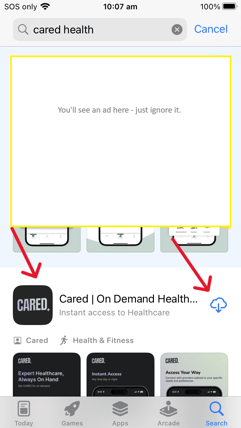 | Android PlayStore 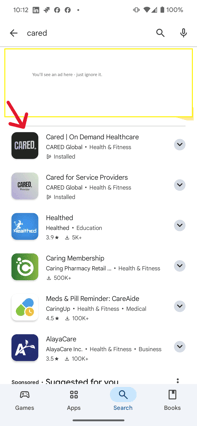 |
| --- | --- |
Install the app and open it.
| Click on "Get Started": 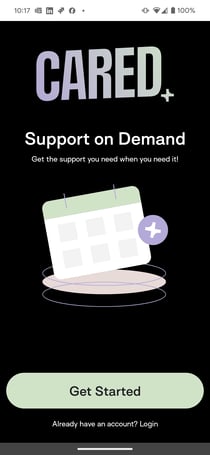 | Sign in with a social email account at the top, or click on "Sign Up Now" to enter any email address: 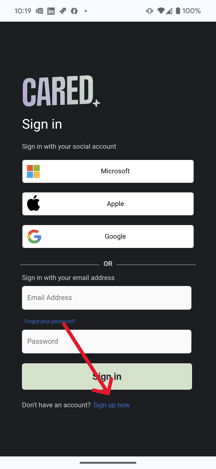 |
| --- | --- |
| If you sign up with a **social account**, you have to log in with your credentials (email and password) into that account and accept to share some basic information. You'll use this same approach every time that you log in. To complete the sign-up, the app will ask you for your first and last name: 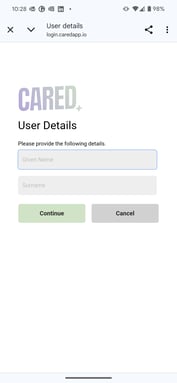 | If you sign up with any email address, you will need to confirm that the email exists by sending a verification code. Retrieve the verification code from your email account and enter it into the sign up page, then continue to complete your sign up: 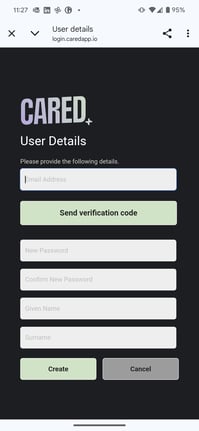 |
| --- | --- |
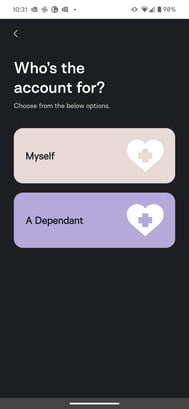
When asked about who you're signing up for, pick "Myself" if you are the one looking for services and "A Dependent" if you are the carer for somebody who is looking to receive services.
Next, you will be asked to enter some personal information. Follow the screens (there will be a couple more screens for yourself before the client details if you are the carer):
| Enter your gender, date of birth, mobile number and a photo (by clicking on the camera symbol): 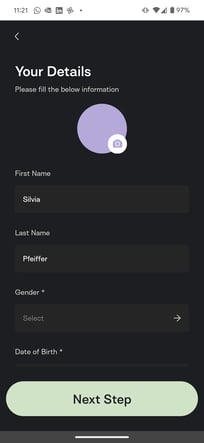 | You can skip the payment method for now: 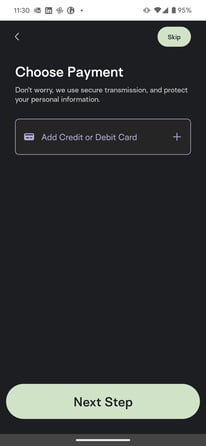 | Enter your communication preferences, at minimum choose "verbally" and "English": 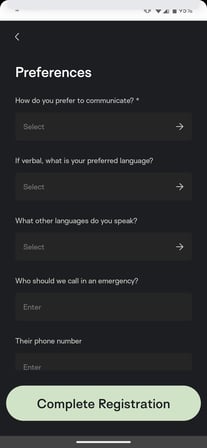 |
| --- | --- | --- |
You have now completed your registration and can get started using the app: 🎉
| 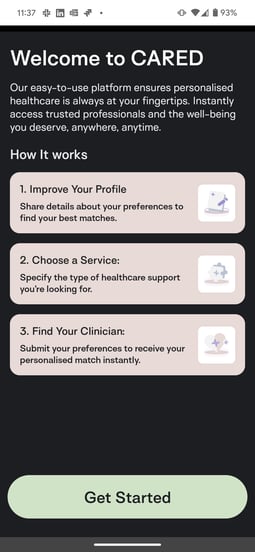 | 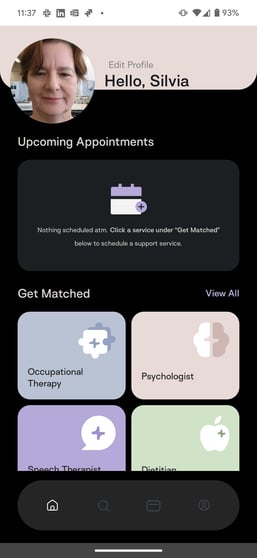 |
| --- | --- |
When you are ready to continue and make bookings, you can:
- click on the profile button at the bottom right and set up a credit card via 'Payment Method' - this is for privately paid consultations.
- if you want to us your NDIS funding, you can add your details via the 'Funding' tab and we will reach out to set up a service agreement with you.
**Congratulations! You are now active on CARED! 😎👍**
- [General](https://help.caredapp.io/general?hsLang=en-au)
- [Consumers](https://help.caredapp.io/consumers?hsLang=en-au)
- [Providers](https://help.caredapp.io/providers?hsLang=en-au)
- [Help & Support](https://help.caredapp.io/help-support?hsLang=en-au)
- Home
- Products
- Pricing
- Blog
- Company
[](http://unitedforcare.com.au)
A2, Suite 3E, Level 3, Building 1/75
O'Riordan St, Alexandria NSW 2015
[mailto:support@cared.io](mailto:support@cared.io)
Copyright © 2024, Cared Global Pty Ltd, ABN 71677417319